We now know who our real friends are…
Practically everyone has WhatsApp on their phone these days and it continues to go from strength to strength since it was purchased by Facebook last year.
A well-known feature on the app is the ‘blue tick’ icon which means that the person has seen the message you’ve sent to them.
Now though, you can check who your closest friends on WhatsApp are by following a couple of simple steps…
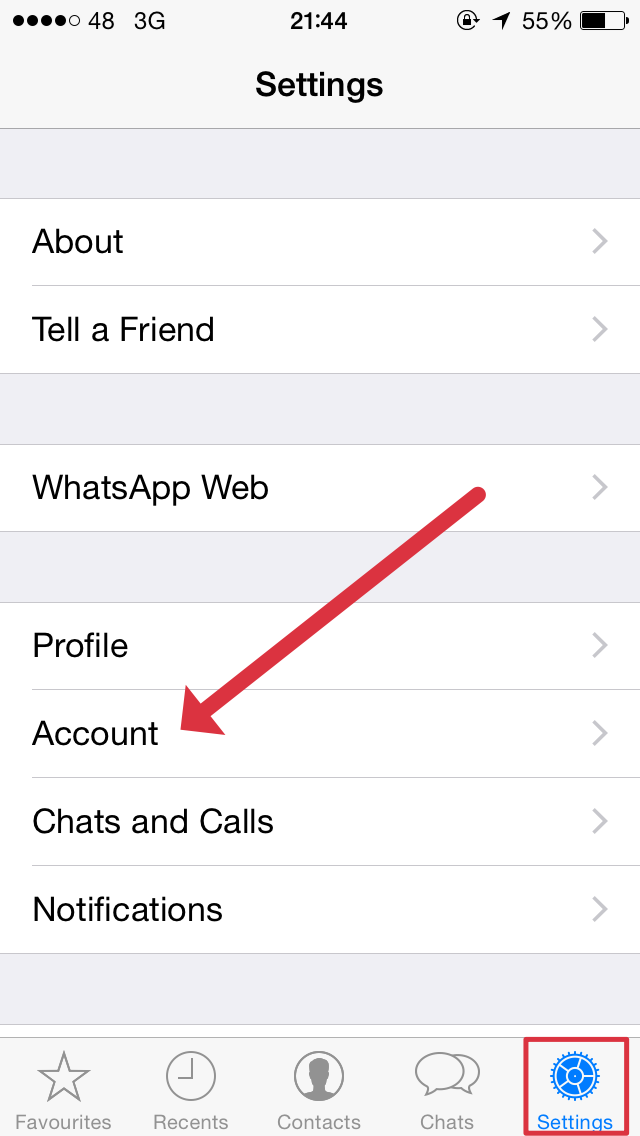
In the settings section of the app, click into account…
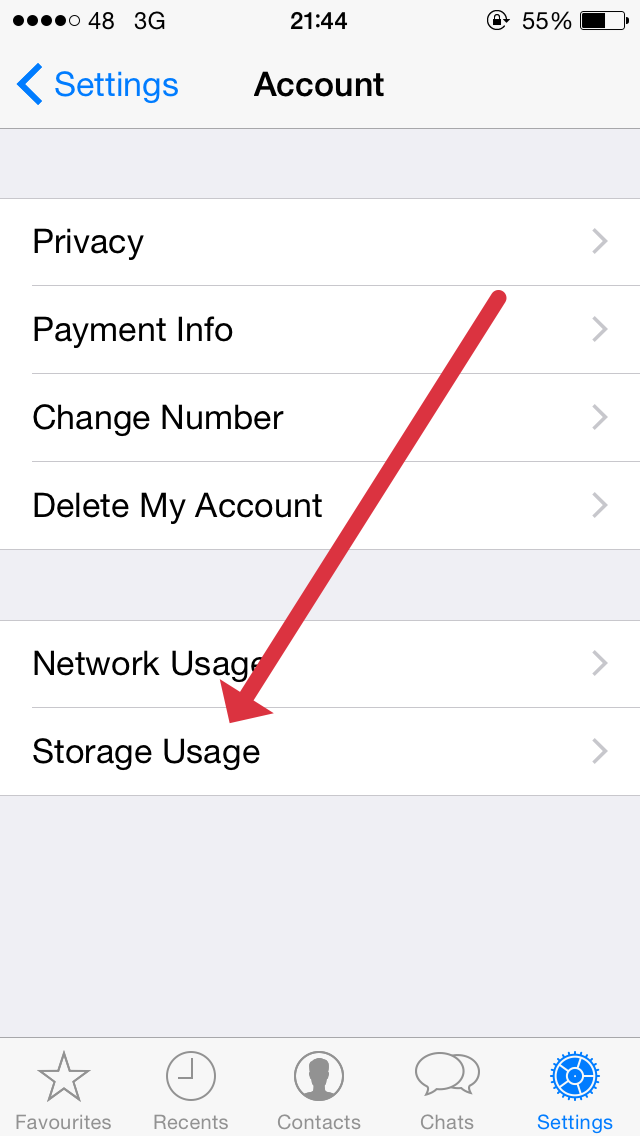
When in the account section select storage usage and this will bring up your top friends on the app…
Hat-tip to the Telegraph.
LISTEN: You Must Be Jokin’ podcast – listen to the latest episode now!