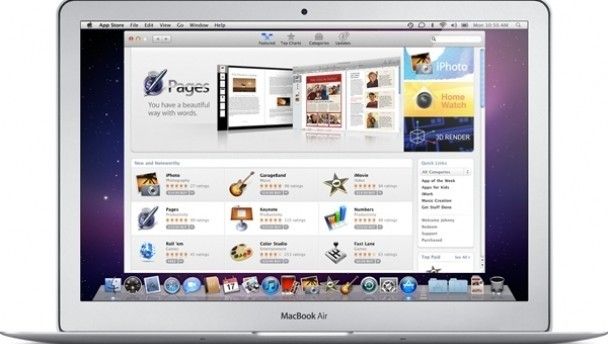
Now that we have had time to mess about in the Mac App Store, we thought we would give you a heads up on the best apps that offer the best value.
By Leo Stiles
The Mac Apps Store is off to a typically robust start with all kinds of applications on offer: from the eternal time waster that is solitaire to fully fledged blockbuster games like Call of Duty 4. This is all well and good, but as the other Apple app stores have shown, the best apps that can be found are often the most simple and, more importantly, cheaper than a bag of crisps. So strap in and get ready for our quick-fire guide to the best free or nearly free apps in the Apple Mac App Store.
Shortcuts
€0.79
You might baulk at the idea of paying for something that you can find for free on the internet but for the sake of mere pennies (79c to be exact) you can have a comprehensive list of shortcuts and little tricks for the Mac OSX at your fingertips without having to resort to Google.
For any Mac geeks out there, this won’t be of much use, but for the new user, of which there is an ever increasing number, this little application is a life saver and fills in that initial knowledge gap as you familiarise yourself with an Apple machine.
Chopper 2
€0.79
Chopper is a lovely little title that dominated the iPhone charts in the days before Angry Birds took over the world and its successor, the oh-so imaginatively titled Chopper 2, is now available across all Apple formats for the princely sum of 79c.

Trust us, it’s more exciting than it looks
The game is simple enough to run on any Mac and is surprising good looking, even on older machines. The core gameplay mechanics haven’t exactly changed in the sequel but since there was nothing broken about the gameplay in the original, developer Magic Jungle didn’t really have anything to fix.
Gameplay consists of piloting the side-scrolling helicopter across a number of levels while avoiding obstacles, rescuing civilians and shooting bad guys. The sequel adds in more variety to the various environments you encounter, along with a bump to the graphics and a few welcome tweaks to its control system.
The headline feature of Chopper 2 is the ability to use any iOS (Apple’s operating system) device as a controller for the Mac game. This feature works perfectly and is pretty much idiot-proof; all you have to do is turn the feature on both apps and make sure they are both connected to the same network and you are good to go. The whole thing works beautifully. We know that this sort of thing is a bit gimmicky but it brought a big smile to our faces nonetheless.
Free
This great and compact app appears to be based on the excellent iPad version that was released towards the end of 2010. It’s all very straightforward: you can send tweets, search the service for notable Twitterers and trends, and manage your account.
The main benefit in having Twitter as an app on your computer rather is that you have access to your news feed without having to switch between windows on your web browser all the time. Perfect for the multi-taskers out there.
Caffeine
Free
This one is about as basic as an app can get but still manages to be very handy. Simply put, Caffeine’s sole function is to stop your Mac going to sleep which it tends to do when it doesn’t detect any user activity – such as when you’re watching a film.

Feel the excitement of this screenshot!
Now you can disable the sleep mode of your Mac with a quick click of the caffeine icon, enabling you to watch videos free from interruptions.
Flash Frozen
Free
We have a funny feeling this little app is a favourite of the Flash averse Steve Jobs and despite our initial misgivings about the need for it, Flash Frozen has proven to be almost indispensable.
Flash is used in the many ways on the internet. Sometimes the use of flash is obvious, such as is the case with videos and the like, but sometimes entire websites are built using it and things like the irritating animated banners all use the programme.
This wouldn’t be much of a problem if Flash wasn’t such a massive consumer of computer resources but it is and if left running, the programme can seriously hit your computer in the battery department. Installing Flash Frozen allows you to kill all instances of the programme running on your Mac.
Solitaire’s Greatest Hits
Free
The single most popular programme on windows is now available to crush your productivity on Mac. Unlike other drugs, this one is free.
The apps listed here only scratch the surface of what’s on offer in the App Store and there are more apps being released on a near daily basis. So jump in and take a look for yourself and be sure to let us know of any gems you find in the comments below.
LISTEN: You Must Be Jokin’ podcast – listen to the latest episode now!